Your MIDI file player for iPad — no laptop on stage.
MBMusic PRO.App plays MIDI files and backing tracks straight through your MB-Music module — with mixer, lyrics, chords and live mode. Plus your own accompaniment and sounds. Free.
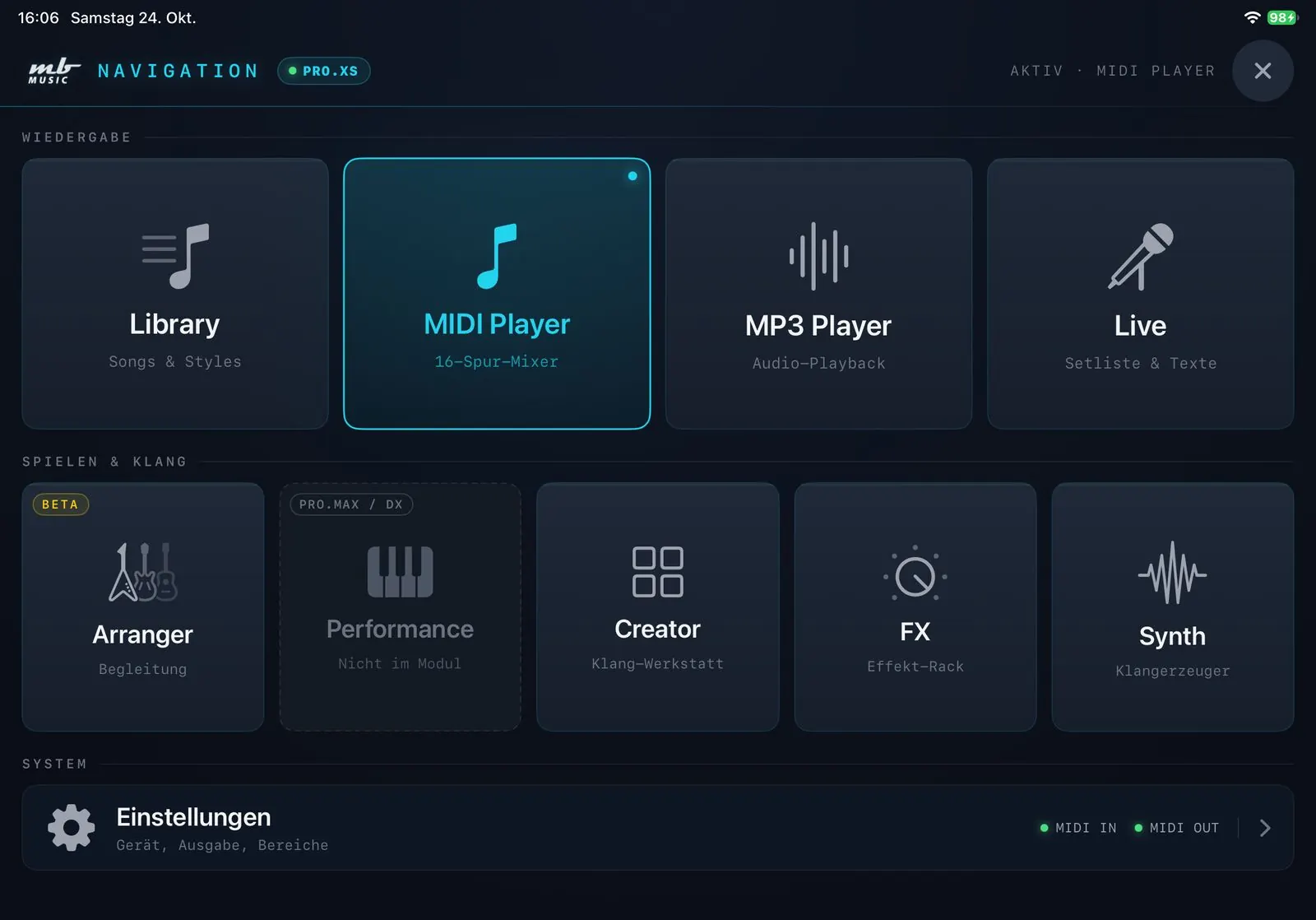
Everything in one app
Play
MIDI files and MP3 backing tracks straight through your module — with scrolling lyrics.
Accompany & perform
Live mode with function keys, automatic accompaniment and sounds at a tap.
Create
Build your own sound setups in the Creator and add extra sounds from the iPad with the Synth.
For solo entertainers
MIDI files on stage — no laptop.
Play MIDI files without a keyboard or a computer: your iPad plays MIDI files and backing tracks straight through your MB Music module — with lyrics, chords and a set list for the whole night.
- MIDI files and karaoke files (.kar) with lyrics display — lyrics and chords scroll along
- Change key and tempo live — saved per song, the original file stays untouched
- Optionally show the lyrics on the singer's iPhone as well
- Stage lock with a PIN: no accidental tap mid-song
- Free, offline, no account
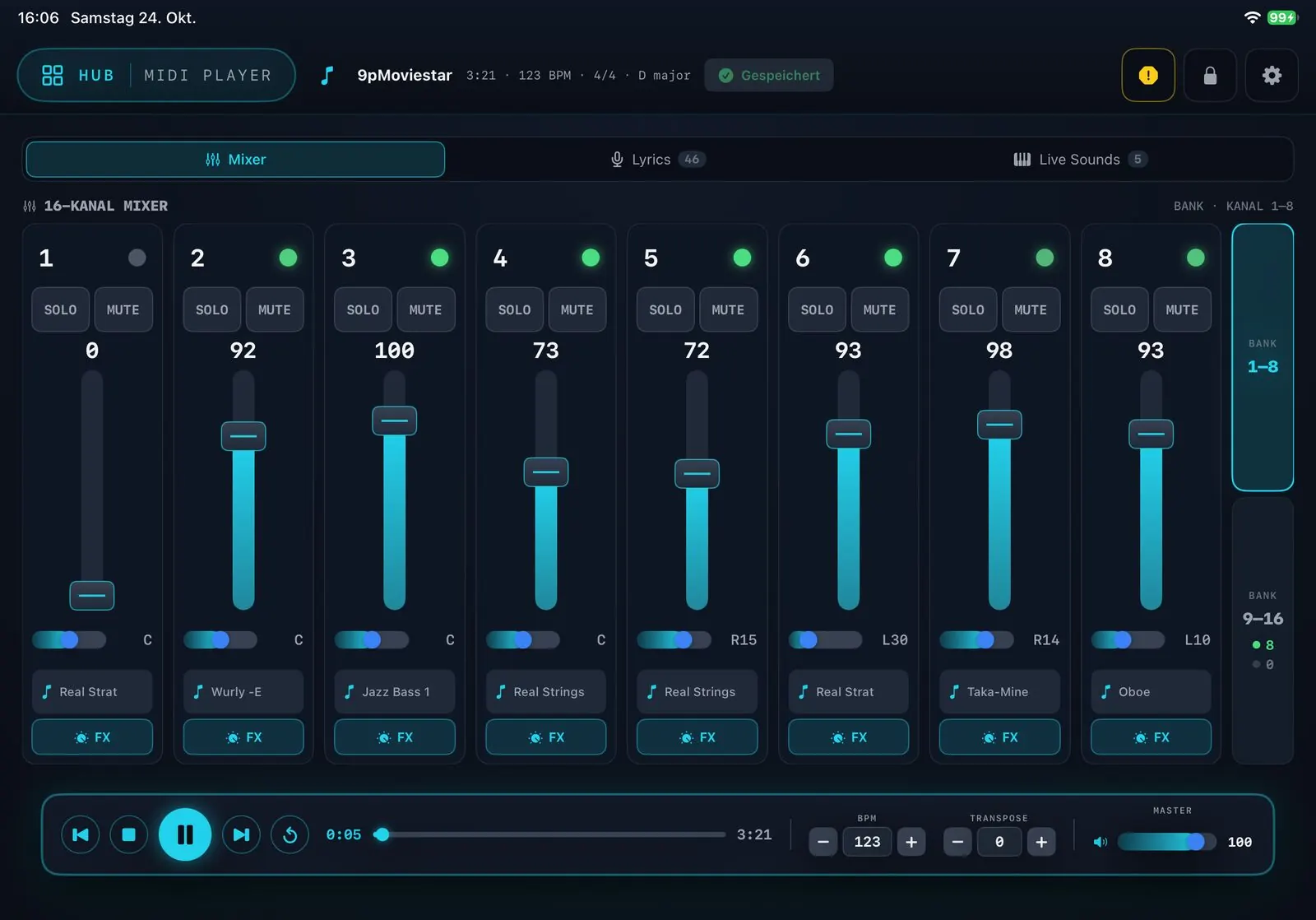
MIDI Player
Your MIDI files, fully in your hands.
- Mixer for all 16 tracks in two banks: volume, pan, solo and mute with big faders
- Assign the perfect sound from your module to each track
- Scrolling karaoke lyrics — the active line always in view
- Change tempo and key live; markers jump exactly to the start of the bar
- Live Sounds: sound setups as big buttons — one tap switches the sound instantly
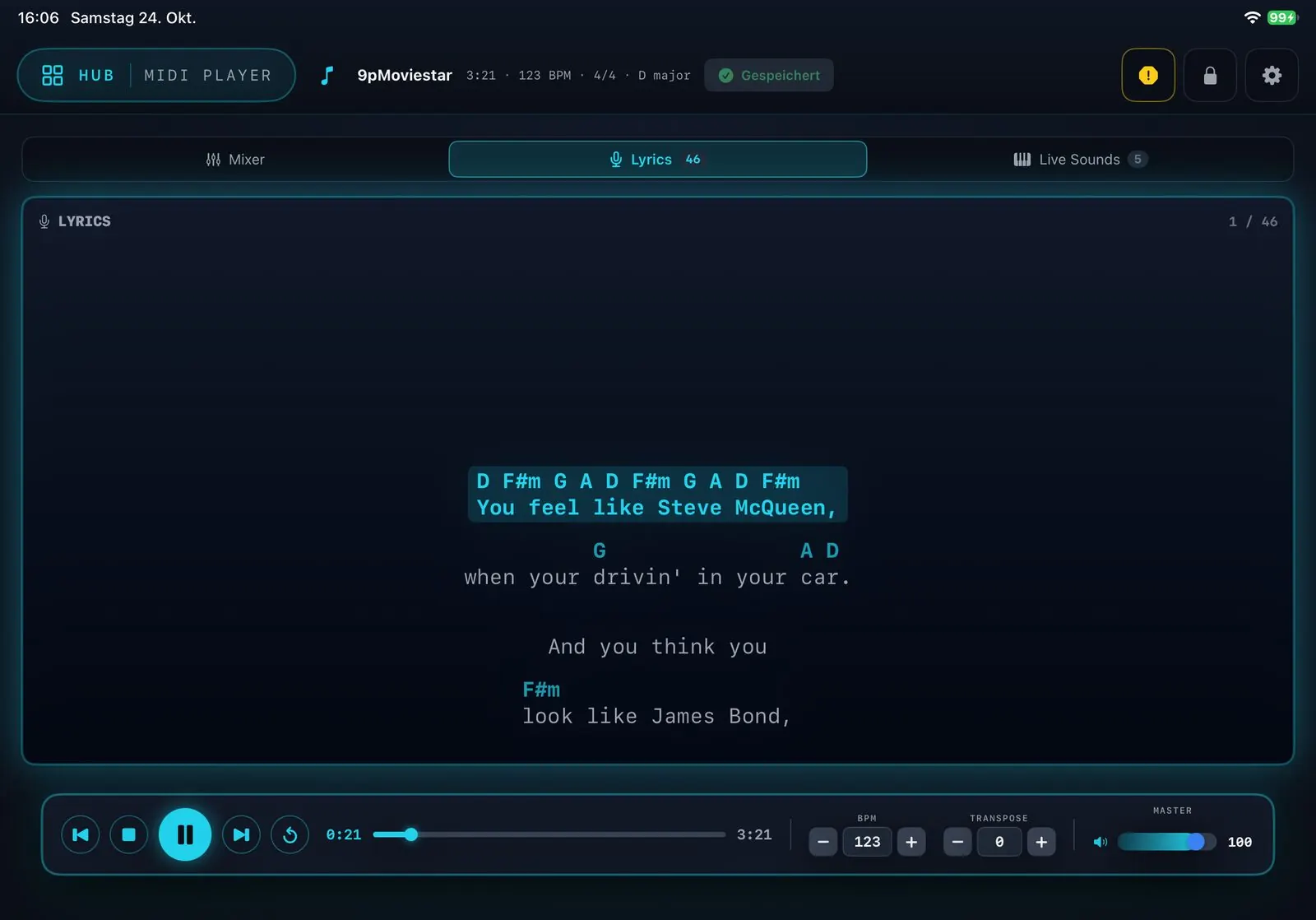
Chords
Chords above the lyrics — just like a lead sheet.
- Every chord sits exactly above the point in the line where it is played
- Scrolls along with the song — the active line always in view
- Switchable notation: international (B, Bb) or German (H, B)
- Can be turned on and off per song — without chords the plain lyrics remain
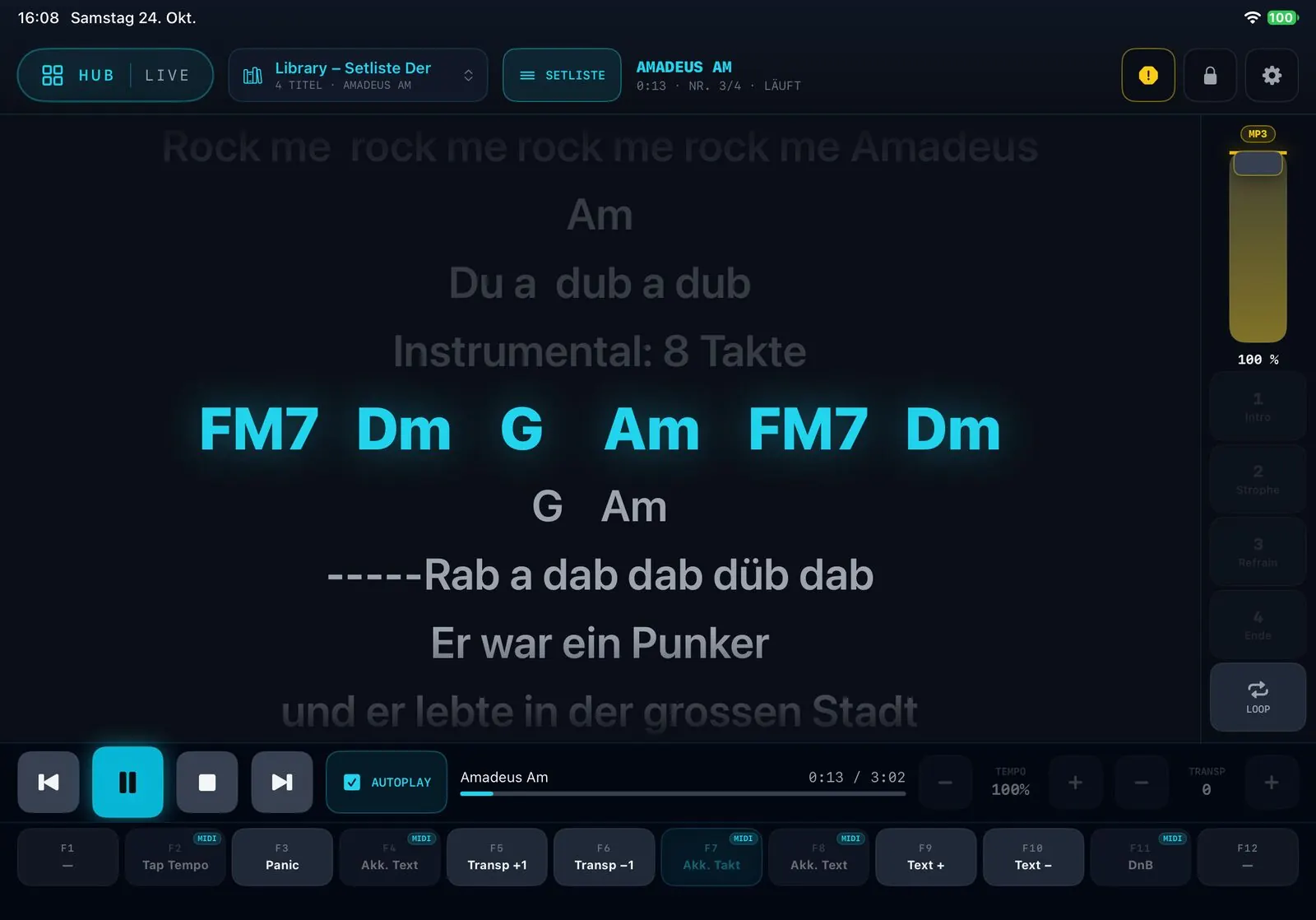
Live mode
Made for the stage.
- Songs straight from your set lists — lyrics, chords and transport on one screen
- Function keys F1–F12: chords on/off, tap tempo, transpose, previous/next song, panic
- Mute and unmute the lead voice — you play the melody yourself, the song stays untouched
- Drums and bass solo at a tap
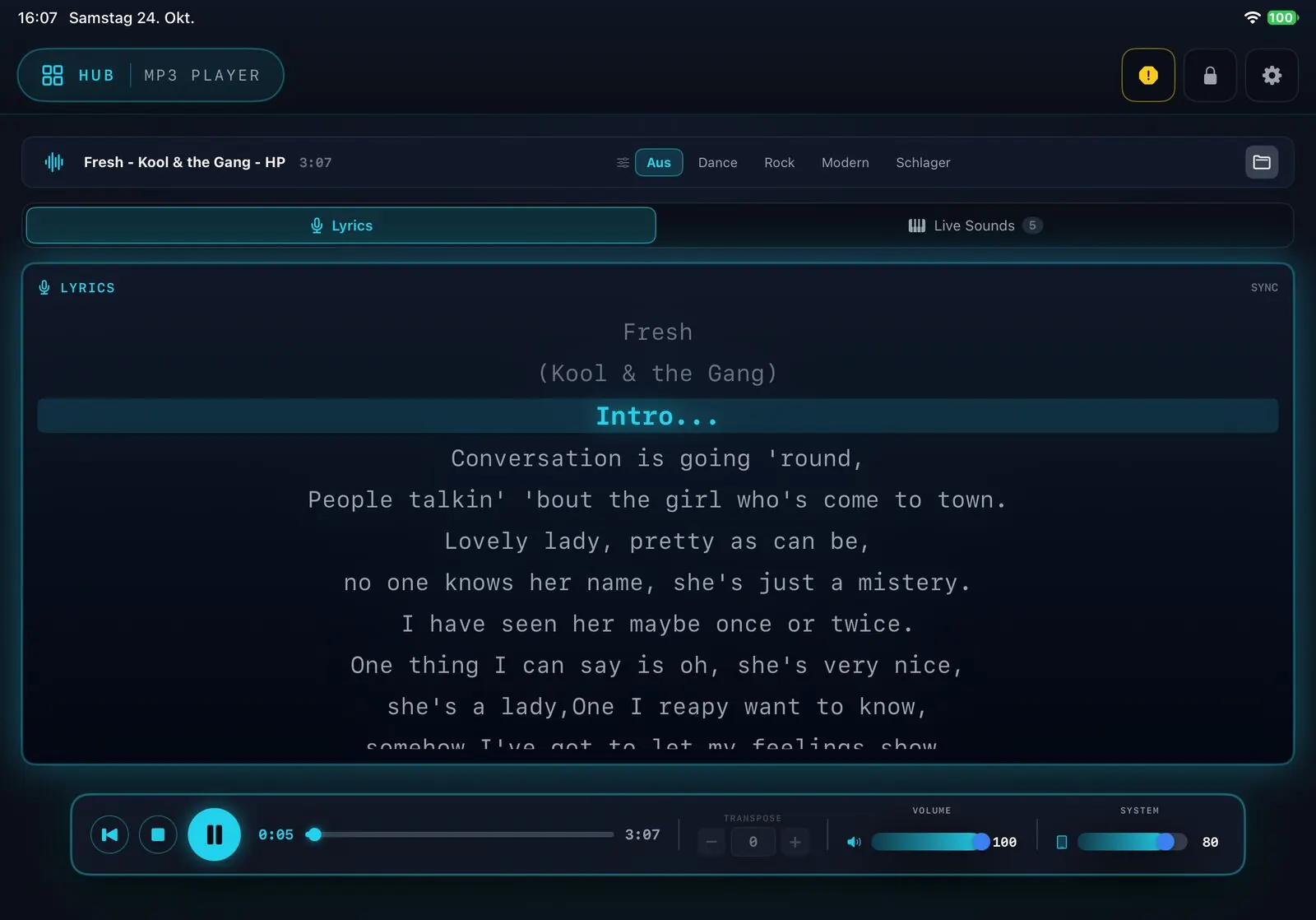
MP3 Player
Backing tracks with lyrics and chords.
- Play your backing tracks whenever you need them
- Lyrics and chords scroll along in sync
- MIDI, styles and MP3 in one mixed set list for the gig
Arranger
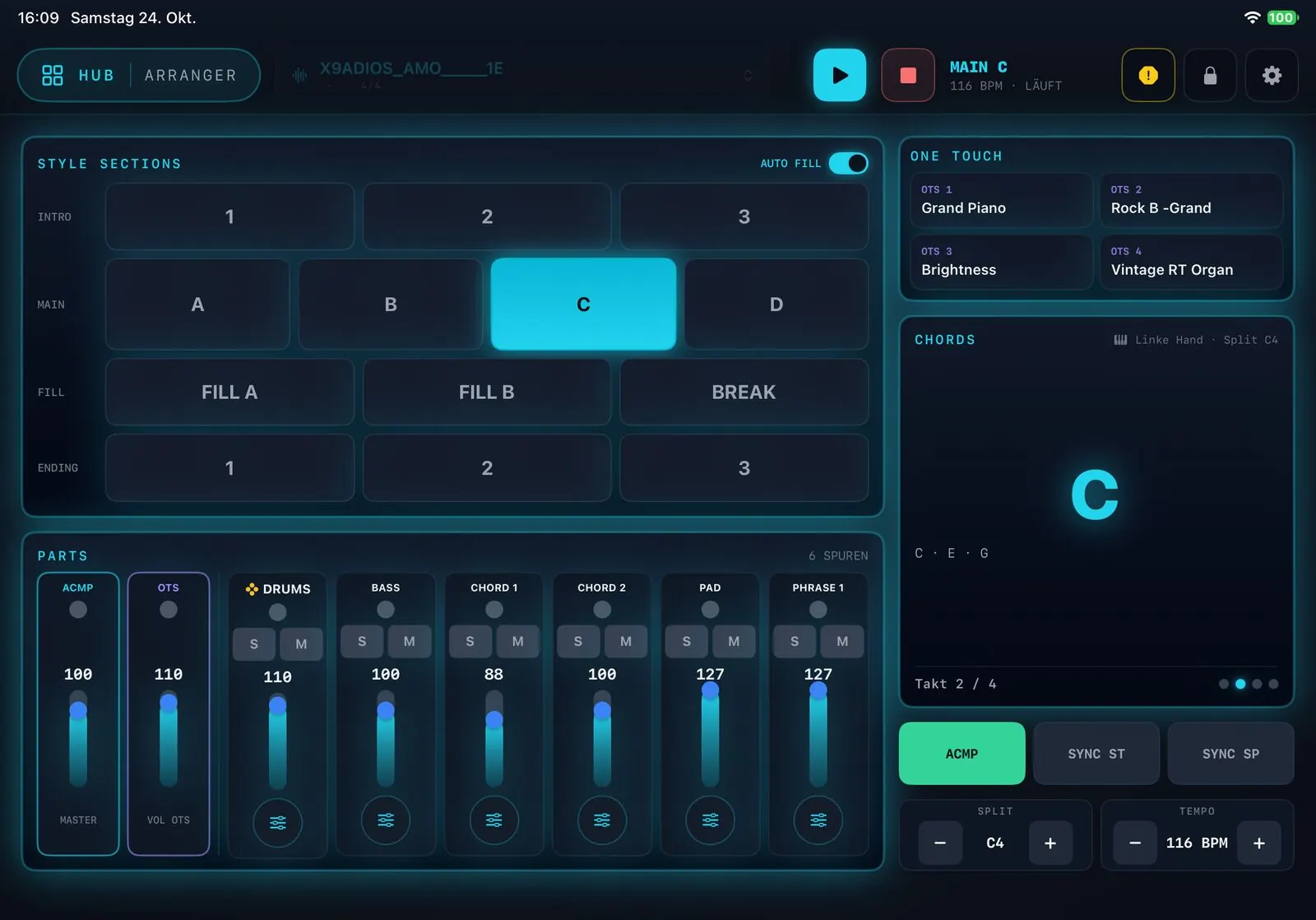
BetaPlay with a full band behind you.
- You play the chords, the app accompanies — with intro, fill-ins, variations and ending
- Track editor: sound, octave, pan, reverb, chorus and volume of every track — save as your own style
- Four one-touch buttons for right-hand sounds
- Accurate chord recognition — inversions too — and adjustable lead time for even timing
Creator
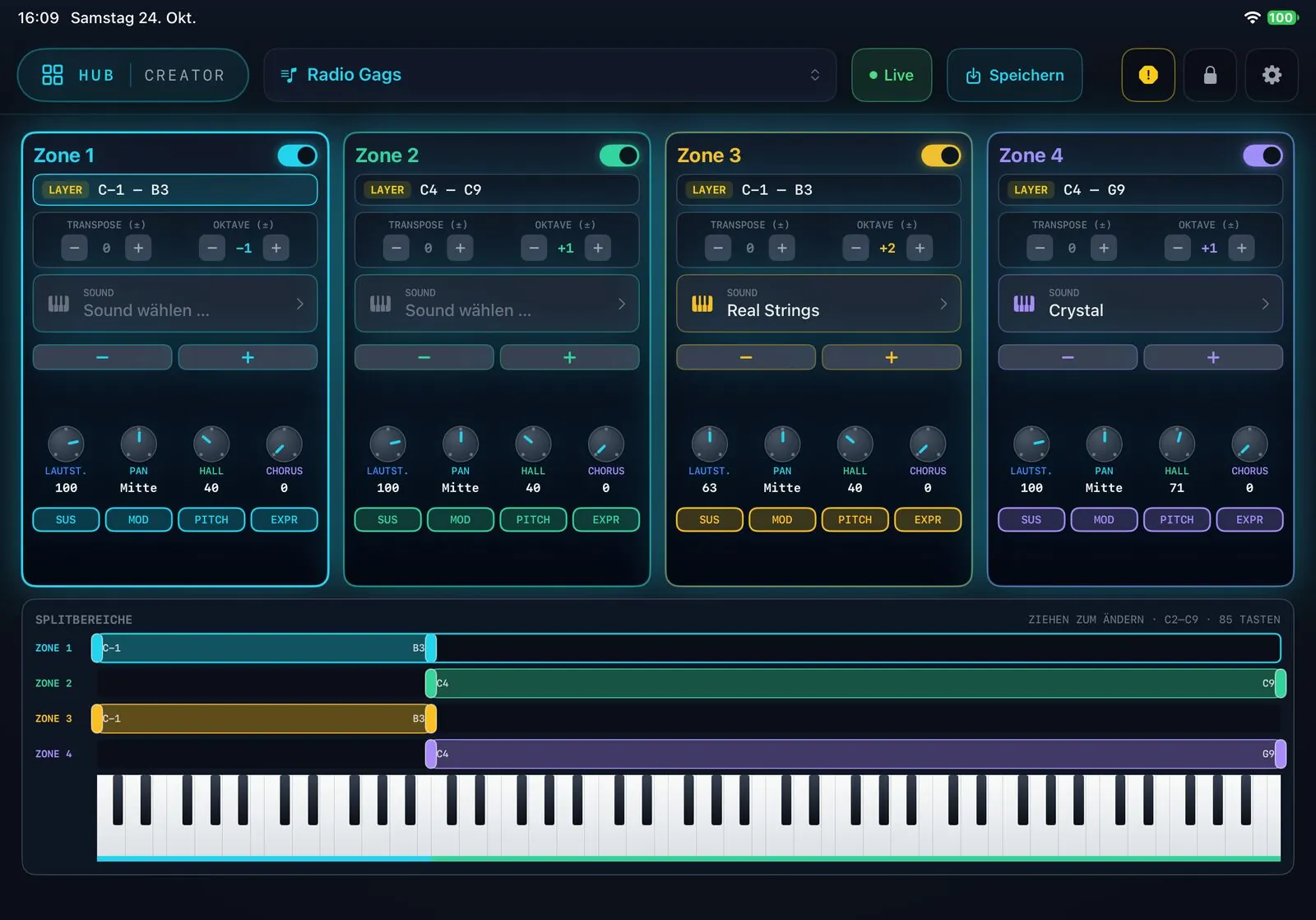
Build your very own sound.
- Several sound zones on a split keyboard — up to C9
- Per zone: sustain, modulation, pitch bend and expression switchable — with reverb and chorus
- Save a preset as a copy without changing the original
Synth
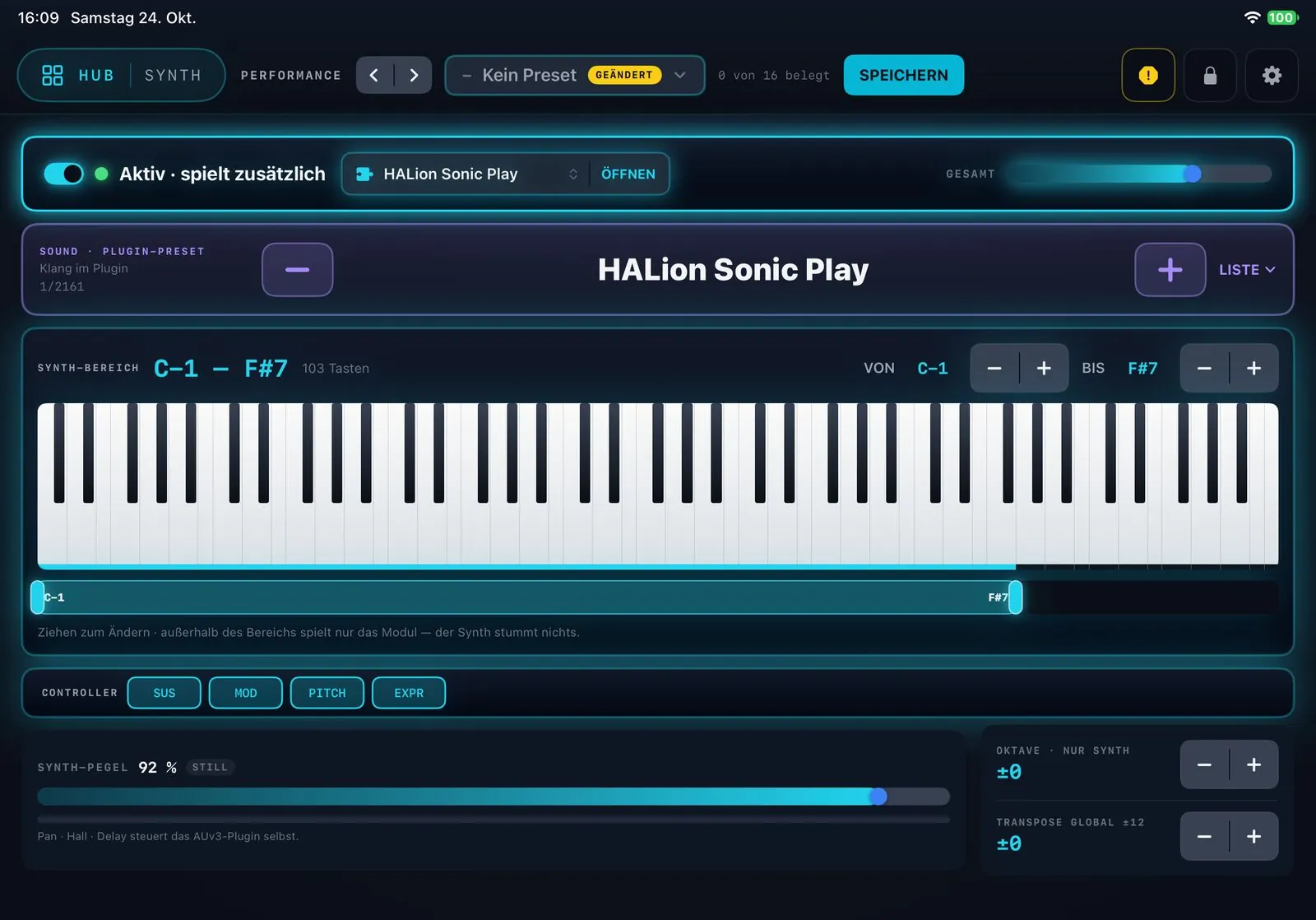
NewA second instrument — right inside the iPad.
- Your keyboard plays sounds of an installed instrument plug-in (AUv3) alongside the module
- Adjustable key range, step through sounds with a tap
- Controllers: sustain, modulation, pitch bend and aftertouch
- Save any combination as a performance
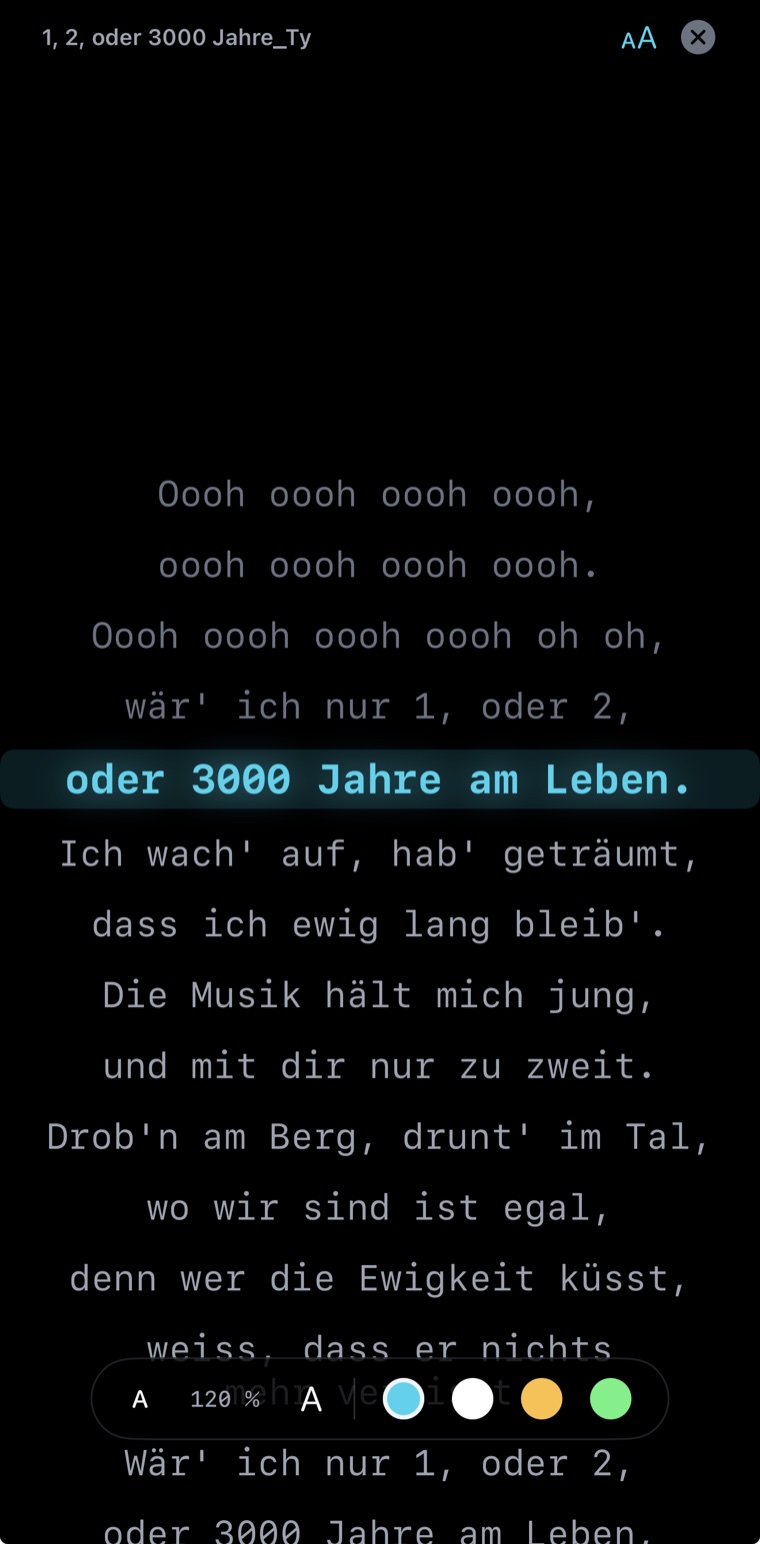
Second screen
The lyrics for everyone — on a second screen.
- Show the running lyrics in parallel on an iPhone or a second iPad on the same Wi-Fi
- Perfect when singers or bandmates need to follow along
- Font size and colour scheme freely adjustable on the second device
- Optionally the second device shows the current and next chord in large type — with a countdown to the change
- Switch on and off right on the second device
- Up to 7 devices at once — even an iPad without a module as a pure lyrics screen (Lyrics mode)
And there's more
Everything you need on stage.
Library
MIDI files, styles, MP3s and texts (incl. PDF and Markdown) in one place — with set lists, in iCloud.
Sound browser
Choose from your module's complete sound library — a sound you tap is audible right away.
Stage lock
Lock the app with a PIN — playback keeps running.
Navigation hub
All areas at a glance — one tap and you're there.
Performance
A quick-select bank for instant sound changes at the press of a button. Not available on the Pro.XS.
FX
Global reverb and chorus — you set the amount per channel — and a master EQ to fine-tune the overall sound.
Back up and restore
Back up your library, Creator setups and settings as a ZIP file and restore them any time.
German and English
The app is fully available in both languages — automatically matching your iPad's language.
Demo mode
Look at and use everything without a module — just without module sound.
Ready to play in three steps
Connect the module to the iPad via a powered USB hub
Open MBMusic PRO.App
Pick a song and start playing
Built for MB Music sound modules
The app is free. The sound comes from the module.
MBMusic PRO.App gets the most out of your MB Music module — made for Pro.Max, Pro.DX and Pro.XS. No module yet? Discover the compact professional sound modules at mbmusic-pro.de.
View modules → mbmusic-pro.deWithout a module the app starts in demo mode — you can try everything, just without module sound (MP3 playback limited to 20 seconds). Alternatively, use the iPad as a pure lyrics screen.